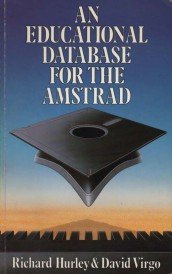
| ★ AMSTRAD CPC ★ GAMESLIST ★ CROSSWORD PUZZLER (AN EDUCATIONAL DATABASE FOR THE AMSTRAD) (c) DUCKWORTH ★ |
Computer Challenges for the Amstrad |
One of the most effective ways of learning new words and their meanings is to do crossword puzzles. This program will provide the user with an endless supply of puzzles. Instructions When the program is loaded from tape and executed, a brief résumé of the playing instructions will appear on the screen and the database EDBASE will be transferred into the computer. When the loading process is complete, there will be a substantial delay while the Amstrad organises its memory allocation. When this has been done you will be asked whether or not you require a time limit game, and when this has been decided, the crossword itself will be designed and the message MOVE CURSOR will appear in the appropriate window. The game is played by using the cursor keys '↑' and '↓' to move a pointer up and down the list of word positions on the left-hand side of the screen. When the required position is obtained, depressing the E key will cause the appropriate clue to appear and you can then input your solution. During this input stage there are three options available:
Notes
It is important to remember that any crossword puzzle has one and only one solution. Even though it may appear that you have completed the puzzle, this is only the case if all twenty-five of the individual words are correct. |
|  |
|
Page créée en 104 millisecondes et consultée 369 fois L'Amstrad CPC est une machine 8 bits à base d'un Z80 à 4MHz. Le premier de la gamme fut le CPC 464 en 1984, équipé d'un lecteur de cassettes intégré il se plaçait en concurrent du Commodore C64 beaucoup plus compliqué à utiliser et plus cher. Ce fut un réel succès et sorti cette même années le CPC 664 équipé d'un lecteur de disquettes trois pouces intégré. Sa vie fut de courte durée puisqu'en 1985 il fut remplacé par le CPC 6128 qui était plus compact, plus soigné et surtout qui avait 128Ko de RAM au lieu de 64Ko. |