★ HARDWARE ★ LE CPC 6128 ★ CPC 6128 (AUSTRALIAN PERSONAL COMPUTER) ★ |
| CPC 6128 (Australian Personal Computer) | Hardware Le Cpc 6128 |
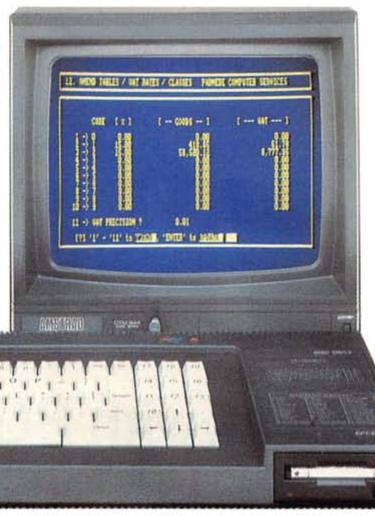
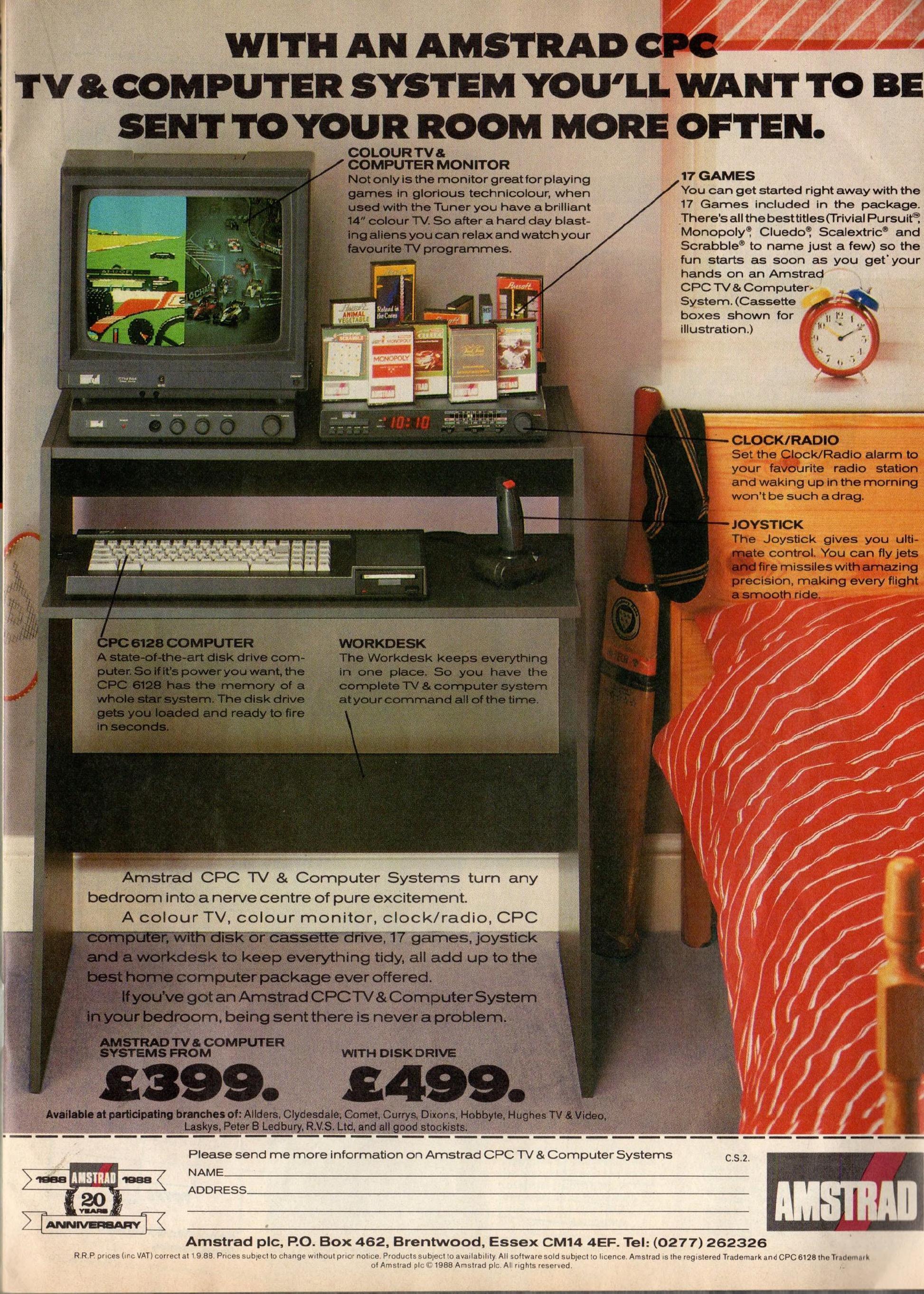
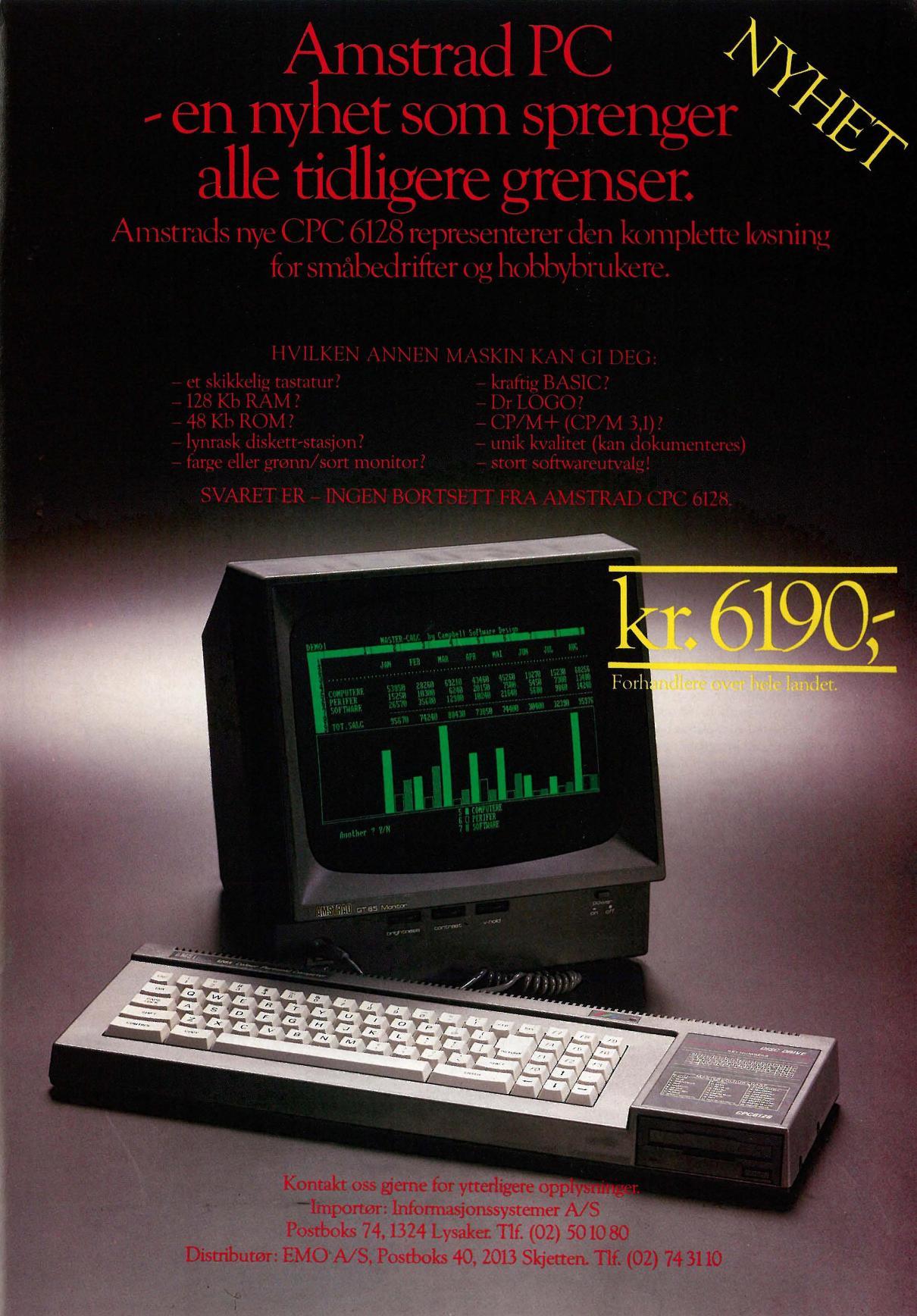
A micro with 128k of RAM, a monochrome monitor, built-in disk drive, CP/M3, DR Logo and priced at $800 sounds like a formidable entry into the marketplace. — Peter Bright looks at the Amstrad CPC6128. First the bad news: anyone who bought an Amstrad CPC664 is in for a nasty shock. Now the good news: Amstrad now has the machine for anyone who wants 128k of RAM, a built-in disk drive, full CP/M and a colour monitor for around $1,000 (exact prices were not known at the time of going to press, but amounts quoted in this article can be taken as an accurate guide). Hardware The 6128 looks quite different from Amstrad's previous machines. Even though the new machine has a disk drive built in, it is significantly narrower than either the 464 or the 664. The 3in disk drive is at the far right-hand side of the unit, and it is a much neater job than the 664 — the casing is only marginally higher than the height of the disk drive. The back of the machine differs from previous Amstrads due to this system being originally designed for the US market therefore the connections must conform to FCC (Federal Communications Commission) regulations. From left to right along the back of the machine there are connectors for a second disk drive, a monitor, 5-volt and 12-volt supplies, an expansion socket and a printer socket. Along the side are a DIN socket for a tape recorder, a joystick socket and a sound output socket. The disk drive, expansion and printer interfaces are all edge connectors onto the main PCB. Amstrad is hoping that the third-party bolt-on goodies brigade will take to this machine with more enthusiasm than they took to the 464 or the 664. The company will be selling a plug-in RS232 card with built in Viewdata capability to make communications easier. It is also hoping that third-party manufacturers might like to provide external hard disks, 5¼ in disk drives, and so on, in order to make the machine into an even more powerful CP/M system. Inside, the 6128 is basically a modified 464. The processor is still the same Z80 and the Basic ROM remains unchanged, with extra Basic commands being loaded from disk; this should keep the new machine largely compatible with software written for the 464. The major change is the extra bank of 64k of RAM, bringing the total up to 128k. Methods of accessing the extra 64k vary according to whether you are using Basic or CP/M. Due to the 61 28 being more narrow than the 464 or the 664, the keyboard has been totally redesigned. Whereas the 464 has a fairly standard qwerty typewriter area with separate cursor keys and numeric keypad, all the keys on the 6128 are bunched together in one block. The layout of the qwerty typing section has also been altered — there are now very large CONTROL and ENTER keys where you would expect to find the SHIFT keys. I found this layout annoying for a while, but no doubt users would get used to it An added bonus is that a keyboard chart is printed on the top of the disk drive housing, showing how the keys are numbered. This can be very useful, as when you are running CP/M on the machine, the keyboard is 'soft'. You can redefine any key apart from the CONTROL key from CP/M, which can be useful for setting up cursor keys and quick functions for specific CP/M programs. Different sets of keyboard definitions can be stored on disk and loaded via a keyboard utility when you run the application. The display on the 61 28 is identical to the 464 or 664. There is the option of using either Amstrad's own colour monitor or green-screen monochrome monitor. The display quality is fine for games, although 80-column displays in CP/M can be hard to read unless you choose the right colour combination. Possibly a better combination for serious users is to buy the monochrome display giving clearer 80-column text, and a colour TV adaptor for games. Software Expanding memory on processors that usually address 64k can cause problems, especially concerning the way in which Basic sees the extra memory. The best expansion I've heard of was a now defunct British machine, the Enterprise 128 (it never made it to our shores), which makes practically all the extra memory available for use as you require, and the worst is probably the Atari 130XE, which has exactly the same amount of memory available for a Basic program as the old 48k and 64k Ataris plus some obscure POKEs to bring the extra memory into play. Amstrad's approach lies somewhere between the two: no extra memory exists for the Basic program, but extra commands have been added which allow you to use the memory for up to four screen displays, or alternatively as a RAM data file. Adding extra commands to Basic prompts an additional problem — compatibility. The extra commands on the 61 28 are stored on disk so the Basic ROM is exactly the same as that in the 664, giving 100 per cent compatibility with 664 software and 99.5 per cent compatibility with the 464. To add the extra commands, load a file from the system disk and run it. To use the extra 64k as an area to store screens from Basic, the memory is treated as four 16k chunks, each capable of holding one screen. These blocks can then be swapped with block one of the original memory (the screen display area) causing a quick change of display. Obvious uses for this include animation, and quick screen changes in multi-screen arcade and adventure games. Two commands, |SCREENCOPY and |SCREENSWAP, manipulate screens.|:SCREENCOPY copies the information making up one screen into any one of the alternative 16k screen blocks; |SCREENSWAP exchanges the contents of one block with another. To bring a screen onto the display, you would |SCREENSWAP it into block one. For more serious Basic applications, the commands :|BANKOPEN, |BANKWRITE, |BANKREAD and |BANKFIND are important. Using these commands, the extra 64k is treated as a data file. |BANKOPEN sets the record length and initialises the current record number. |BANKWRITE lets you write data to the file, and |BANKREAD retrieves it fromthe file. Optional parameters specify which record to write to, and return values informing you of the success of the operation. :BANKFIND lets you search through the RAM for a particular data item, and returns the record number where the data is stored or a negative number informing you that no match was found. These bank commands provide a fairly sophisticated and very quick way to manipulate data in database-like applications. One of the selling points of the disk-based Amstrad machines has always been that they can run CP/M, so can theoretically access a wide range of professional 8-bit business software. Unfortunately, life is never as straightforward as it seems. Due to limitations in the design of the 464 and the 664, the full 64k of RAM was never available to CP/M programs. This meant that many popular CP/M programs such as WordStar wouldn't run in the standard form on these machines. All that has changed on the 61 28. In order to take advantage of the full 1 28k of RAM in the machine, the Amstrad 6128 runs CP/M version 3 (or CP/M Plus) instead of CP/M2.2, which is used by the 464 and 664 disk machines. CP/M version 3 was released just at the time when 1 6-bit machines were taking over from 8-bit machines in the business market Consequently, it never had as much exposure as its more popular, but inferior, predecessor. One of the main advantages of CP/M3 is that it can run on bank-switched machines such as the 6128, and can therefore take advantage of the extra memory. It is also upgraded internally, offering features such as naming of disks, date stamping of files, password protection, and the use of hashing algorithms to speed up disk access. The implementation of CP/M3 on the Amstrad is very nice indeed. As far as CP/M is concerned, it is divided into three banks which are further subdivided into eight 16k chunks. Bank 0 contains the BDOS and BIOS routines; Bank 1 is the Transient Program Area (TPA); and Bank 2 contains the Console Command Processor (CCP) plus various buffers and hash tables. The TPA is allocated four 16k blocks, one of which is shared with the other two banks so the usual maximum TPA is about 61 k. This is quite sufficient for most common CP/M programs and is a vast improvement over the situation on the 464 and the 664. The majority of 8-bit CP/M programs should now run on the Amstrad. I tried popular applications such as WordStar, SuperCalc 2 and Multiplan, and they all worked well. One of the great advantages of having all this memory is that the BIOS, BDOS and CCP routines only have to be loaded off disk once when you boot the system. Thereafter they sit quite happily in RAM until you reset the machine, making it much easier to swap disks without having to worry about the correct system-files being available. CP/M3 doesn't require you to Control C the drive every time you change a disk — you just put it in and CP/M will read it. Installing 6128 applications programs should be straightforward. Amstrad has arranged the system so that sitting between the program and the physical screen is a DEC VT52 terminal emulator: when you install your program, you use VT52 control codes. Another advantage of CP/M version 3 is that it handles disk and I/O errors much more elegantly than CP/M version 2.2. When you get a disk error, you generally receive a 'retry, ignore or abort?' message rather than one of the dreaded 'BDOS error on A' error messages. The only trouble with this on the 6128 is that the CP/M messages scroll along the bottom of the screen quite quickly, and it took me two or three rotations to catch what the message actually said. Although you can add a second disk drive to the system, I suspect that most people will make do, at least in the beginning, with just the internal drive. For this reason, Amstrad has set up CP/M so that two logical drives (A and B) are mapped onto the single physical disk drive. Consequently, disk and file copies can be done from A to B — you can pretend that you've got two drives. CP/M prompts you when to change disks, and also displays the logical name of the current disk in the bottom right-hand corner of the screen. The manual supplied with the 6128 is up to Amstrad's usual high standard, and covers the extra features of the 6128 comprehensively. Like previous manuals, it takes a quick but understandable tutorial approach, ending with appendices and reference sections. Absolute novices might need a second book to explain Basic, but most users will be satisfied with the manual supplied. A second manual of detailed programmers information aimed more at software houses is available at extra cost from AWA-Thorn. Conclusion From the beginning of October you can obtain an $800 machine with 128k of RAM, a monochrome monitor, a built-in disk drive,CP/M3 and DR Logo; $1,000 will buy you the colour system. The prices are exactly the same as the prices for the current 664 packages and, as such, this has to be rated as outstanding value for money. Irate 664 users should be sure to bombard Amstrad and this magazine with complaints in order that we can attempt to get them the same value. As a games machine, it is unlikely that many games houses will initially take advantage of the 6128's disk drive or extra RAM. However, if the machine sells well (which it should) then the software should follow. As a serious home/small business machine its great. You can either use the disk drive to save your own Basic programs, or you could buy the popular CP/M packages and use them to run your small business or to work on ita at home. Either way, it's the disk drive and the price which make this machine. Amstrad reckons that no other manufacturer will dare to release a machine without a disk drive in the future. It could well be right.
|